





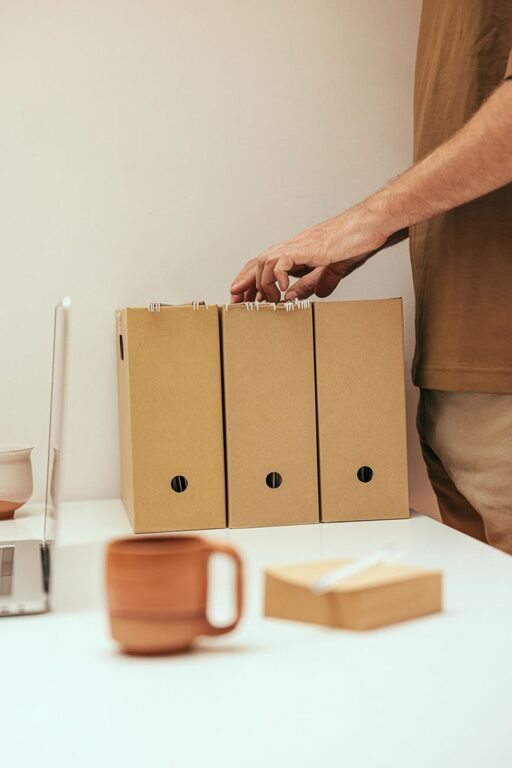
Organizing files on your computer might seem like a daunting task, especially if you’ve let digital clutter build up over time. However, a well-structured file system can save you time, reduce frustration, and boost your productivity. Whether you’re managing work documents, photos, or personal projects, these tips will help you keep your digital space neat and easy to navigate.
Why Organizing Files Matters
Before diving into the how, it’s useful to understand the benefits of an organized file system:
– Easier access: Quickly find what you need without endless searching.
– Increased efficiency: Spend less time managing files and more time on your tasks.
– Reduced stress: A tidy digital workspace helps you feel more in control.
– Better backups: When files are well organized, backing up important data becomes straightforward.
Getting Started: Evaluate Your Current Files
Start by assessing what you have:
– Identify file types: Documents, photos, videos, downloads, software installers, etc.
– Determine usage: Which files do you use daily, occasionally, or no longer need?
– Check for duplicates: Duplicate files take up space and cause confusion.
Use built-in tools or free software to scan for duplicate files if needed.
Setting Up a Logical Folder Structure
A clear folder hierarchy is the backbone of file organization.
1. Create Broad Categories
Start with broad folders that suit your needs. For example:
– Work
– Personal
– Projects
– Photos
– Finances
2. Use Subfolders for Specifics
Within each broad folder, add subfolders to separate content further:
– Work > Reports > 2024
– Personal > Health > Medical Records
– Photos > Vacations > 2023 Hawaii
3. Avoid Over-Nesting
Try not to create too many levels of folders; three to four levels deep is usually enough. Deep hierarchies can make files harder to find.
Naming Files and Folders Consistently
Consistent naming conventions make searching easier.
Tips for Naming:
– Use clear, descriptive names (e.g., “Meeting_Notes_2024-05-15”).
– Include dates in YYYY-MM-DD format to keep files in chronological order.
– Avoid special characters like / \ : * ? ” < > | which can cause issues.
– Use underscores or hyphens instead of spaces for better compatibility.
Regular Maintenance and Cleaning
Organizing is not a one-time job; regular upkeep is important.
– Schedule weekly or monthly reviews: Delete unnecessary files and reorganize as needed.
– Archive old files: Move seldom-used files to external drives or cloud storage.
– Empty the Trash/Recycle Bin: Free up disk space by removing deleted files permanently.
Utilizing Tools and Features for Organization
1. Search Functionality
Modern operating systems have powerful search features; learn how to use filters by file type, date, or size to locate files faster.
2. Tags and Labels
Some systems allow tagging files with keywords or colors. This can be helpful for cross-referencing items that belong to multiple categories.
3. Cloud Storage Services
Using cloud services like Google Drive, OneDrive, or Dropbox offers:
– Access from multiple devices
– Automatic backups
– Easy sharing and collaboration
Ensure your cloud folders follow the same naming and structure conventions.
Backup Your Organized Files
No matter how well you organize, protecting your data is critical.
– Use external hard drives or cloud backups.
– Employ automated backup software for regular copies.
– Keep multiple backup versions in case of file corruption or accidental deletion.
Tips for Specific File Types
Documents and Spreadsheets
– Group by project or topic.
– Use version numbers if you edit files frequently (e.g., DocName_v2).
Photos and Videos
– Organize by event or date.
– Use photo management apps to tag and sort images.
Downloads Folder
– Regularly clear and move files from Downloads to their proper folder.
– Avoid storing files here long-term.
Final Thoughts
A tidy computer isn’t just about neatness — it’s about creating a system that supports your daily workflow. By dedicating some time to plan and maintain your file organization, you’ll enjoy faster access, peace of mind, and a more productive digital life.
Start small, be consistent, and make file organization a regular habit. Your future self will thank you!




More Stories
How to Declutter Your Digital Life for a Clearer Mind
Small Space Storage Ideas That Work for Any Home
How to Make Your Kitchen Counters Clutter-Free and Functional